 Welcome to AI Writing Assistant
Cold emails, follow-ups and LinkedIn notes — written in the field you send them from.
Two keystrokes open the writing panel in any text box you can type in, so outreach gets drafted in the tab you already have open.
How to Use It
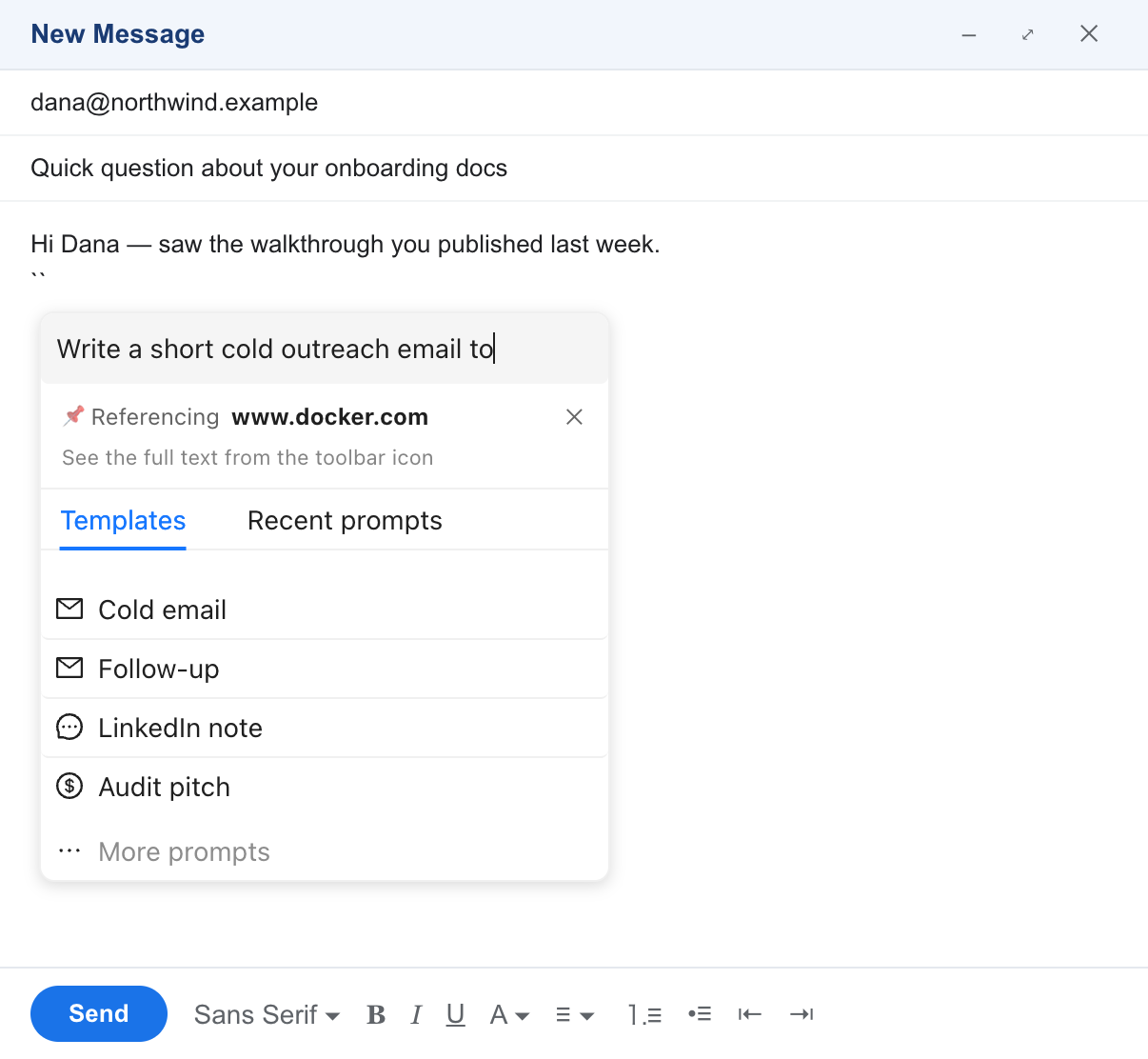
Type `` — two backtick characters — in any input field or text area to open the AI Writing Assistant. A panel appears at the caret, where you can pick an outreach prompt or type your own. It works in Gmail, Outlook, LinkedIn, Notion and ordinary text boxes across the web.
`` then choose Cold email.Two backticks are the default — set your own two-character trigger from the toolbar icon. The panel provides a convenient interface to:
- Pick an outreach prompt — cold email, follow-up, LinkedIn note or audit pitch
- Open More prompts for the rest of the set
- Type a custom prompt of your own
- Reuse a recent prompt
- See which page the draft will reference, and leave it out with ✕
Pin the Extension to Your Toolbar
- Click the puzzle icon in the Chrome toolbar (top right).
- Find AI Writing Assistant in the list.
- Click the pin icon 📌 next to it.
The toolbar icon is where you pin a prospect's page, change the trigger characters and check your settings, so keeping it in reach saves a couple of clicks. The trigger itself works whether or not the icon is pinned.
Key Features
Outreach Prompts
Cold email, follow-up, LinkedIn note and audit pitch sit at the top of the panel. The rest — broken link, guest post pitch, objection reply and more — are one click away under More prompts.
Pinned Prospect
Pin a prospect's page from the toolbar icon, and an outreach draft can reference it even while you compose in your inbox. The panel names the page it will reference, and ✕ leaves it out of that draft.
Reuse Recent Prompts
Reopen a recent prompt to repeat or refine it, instead of typing the same brief twice.
Trigger Anywhere
Type `` — two backtick characters — in any field you can type in, and the panel opens at the caret. Prefer something else? Set your own two-character trigger from the toolbar icon.